
Can I add custom branding to a card?
Yes. You can add branding as a title image, a free-space image, or a header background. Each placement has its own controls and recommended image dimensions.
Before you upload
Use a JPG, PNG, or WebP file no larger than 5 MB. A transparent PNG or WebP can work well for a logo, but check the preview against the selected background colour before continuing.
Keep important text and marks away from the edge of the image so they are not lost if the image is scaled.
Use an image as the card title
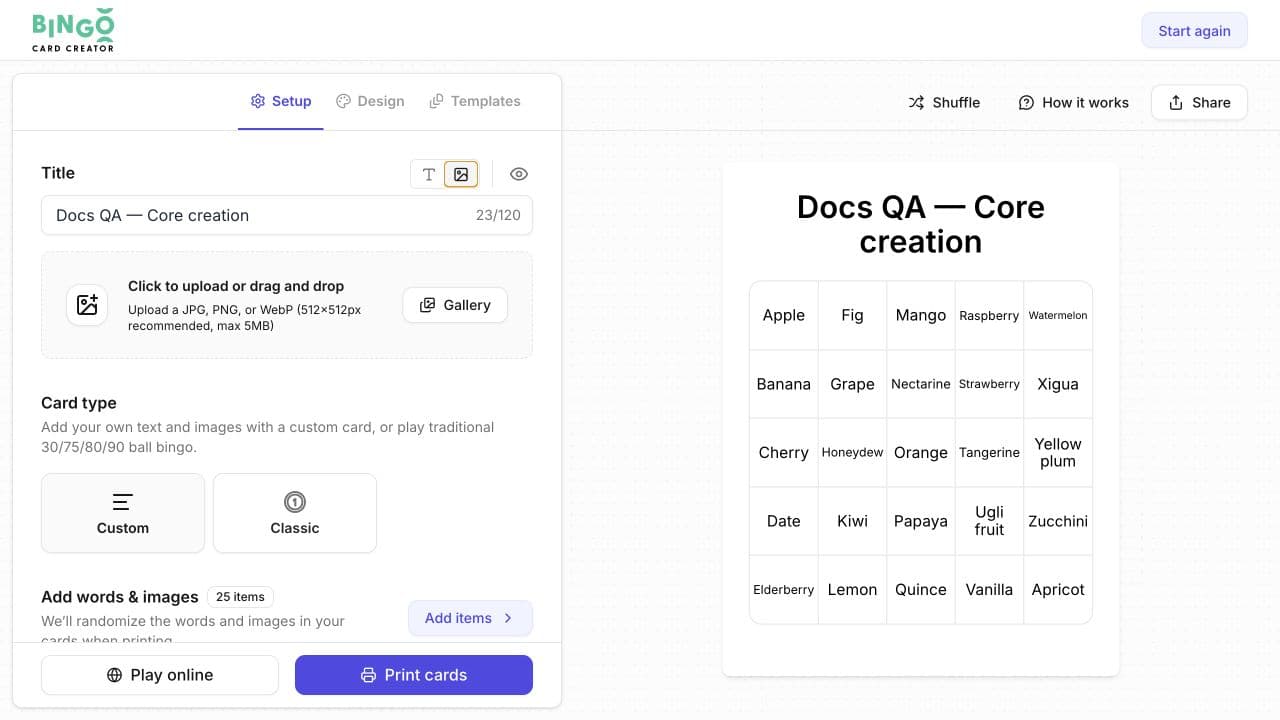
- Open the card in the editor and select Setup.
- In Title, select the image control beside the text-title control.
- Upload an image or select one from Gallery.
- Check the card preview.
The editor recommends a 512×512-pixel image for this placement and limits files to 5 MB. The card title remains in the title field even when the visible title uses an image.
Add an image to the free space
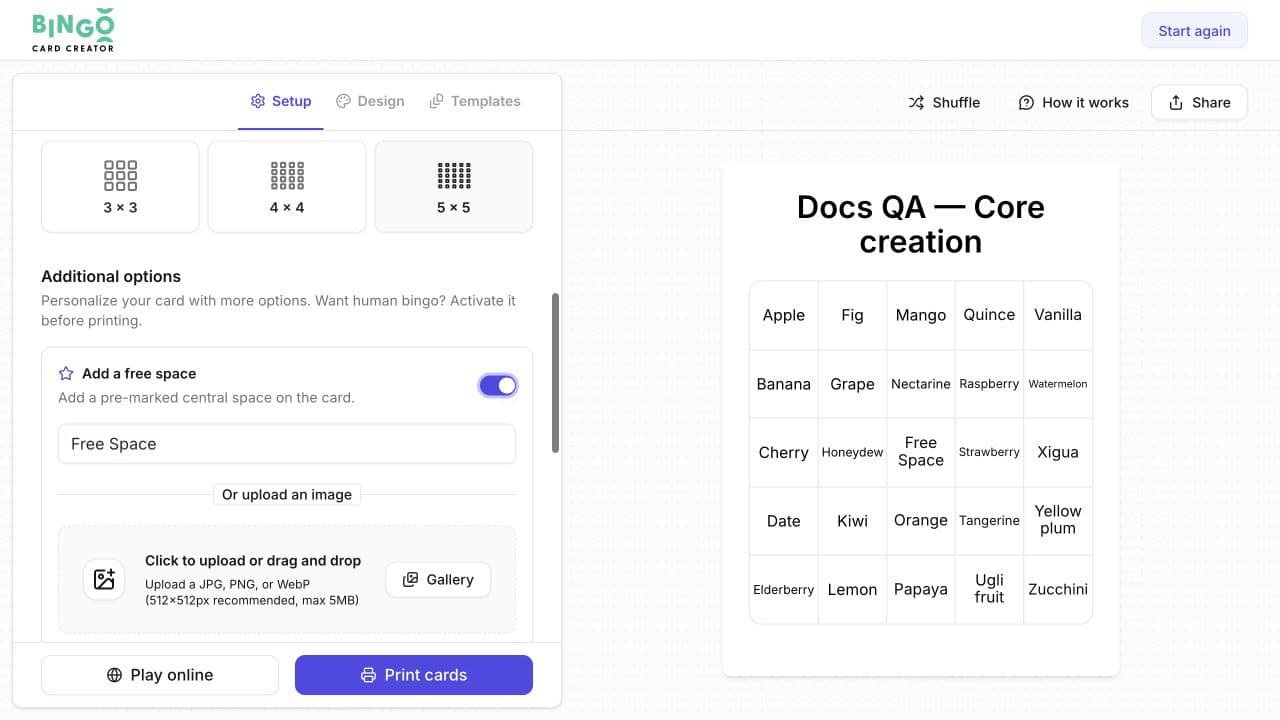
- In Setup, scroll to Additional options.
- Enable Add a free space.
- Enter free-space text or upload an image.
- Check the central square in the preview.
Free-space images can be JPG, PNG, or WebP files. The editor recommends 512×512 pixels and limits files to 5 MB.
Add a header background
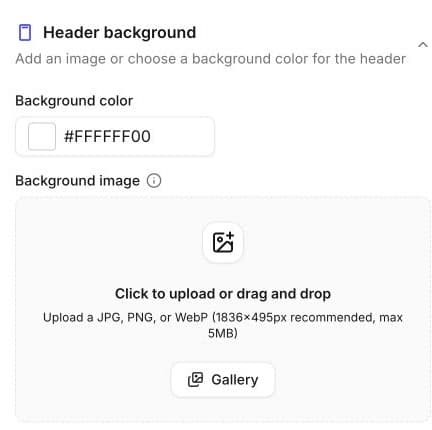
- Select Design.
- Expand Header background.
- Choose a background colour, upload an image, or select one from Gallery.
- Check that the title remains readable in the preview.
For a header background image, the editor recommends 1836×495 pixels and limits files to 5 MB.
Check the finished design
Review the complete card rather than the uploaded image alone. Check that:
- the title has enough contrast against the header;
- the logo is readable at card size;
- the free-space image remains recognisable inside one grid square; and
- no important part of the artwork sits against a cropped edge.
Related guides
Was this article helpful?
Related articles
Browse all
Still have questions?
Haven't you found what you're looking for in our support area? Contact us by selecting the button below.
Contact us